In today’s increasingly wireless world, the desire to stream audio from our vintage or non-Bluetooth-enabled devices to modern speakers or headphones is a common one. Fortunately, the advent of RCA to Bluetooth adapters has revolutionized how we enjoy our audio collections. These clever devices bridge the gap between analog and digital, allowing you to breathe new life into your beloved stereo systems, turntables, or even old CD players, all while enjoying the convenience of wireless streaming. This article will provide a comprehensive, step-by-step guide to setting up your RCA to Bluetooth adapter for an effortless audio streaming experience.
The Appeal of Wireless Audio: Why Go RCA to Bluetooth?
The allure of wireless audio is undeniable. It frees us from the clutter of cables, allows for seamless device switching, and offers a level of convenience that wired connections simply cannot match. While many modern audio devices come equipped with Bluetooth, a vast library of cherished audio equipment still relies on RCA connections for analog audio output. Think of your classic stereo receiver, your cherished turntable with its analog output, or even older gaming consoles. These devices, while offering superior sound quality in many cases, lack the inherent wireless capabilities of contemporary gadgets.
The market for audio equipment is diverse. A study by Statista revealed that in 2022, the global audio equipment market was valued at approximately $80.7 billion, with a significant portion of this still representing traditional audio setups. This highlights the continued relevance and appreciation for high-quality, wired audio systems. RCA to Bluetooth adapters act as a crucial bridge, enabling users to integrate these established systems into their modern wireless audio ecosystems without compromising sound quality or investing in entirely new equipment.
Benefits of Using an RCA to Bluetooth Adapter:
- Revitalize Old Equipment: Breathe new life into your vintage stereo systems, turntables, and other RCA-equipped audio sources.
- Eliminate Cable Clutter: Enjoy a cleaner, more organized audio setup by eliminating unsightly RCA cables.
- Wireless Convenience: Stream music, podcasts, or any audio from your devices to Bluetooth speakers or headphones from a distance.
- Cost-Effective Solution: Avoid the significant expense of replacing your entire audio system with a Bluetooth-enabled one.
- Preserve Audio Quality: Many high-quality RCA to Bluetooth adapters are designed to maintain excellent audio fidelity.
Understanding Your RCA to Bluetooth Adapter
Before diving into the setup, it’s essential to understand the components of your RCA to Bluetooth adapter. While models can vary, most will include the following:
Key Components:

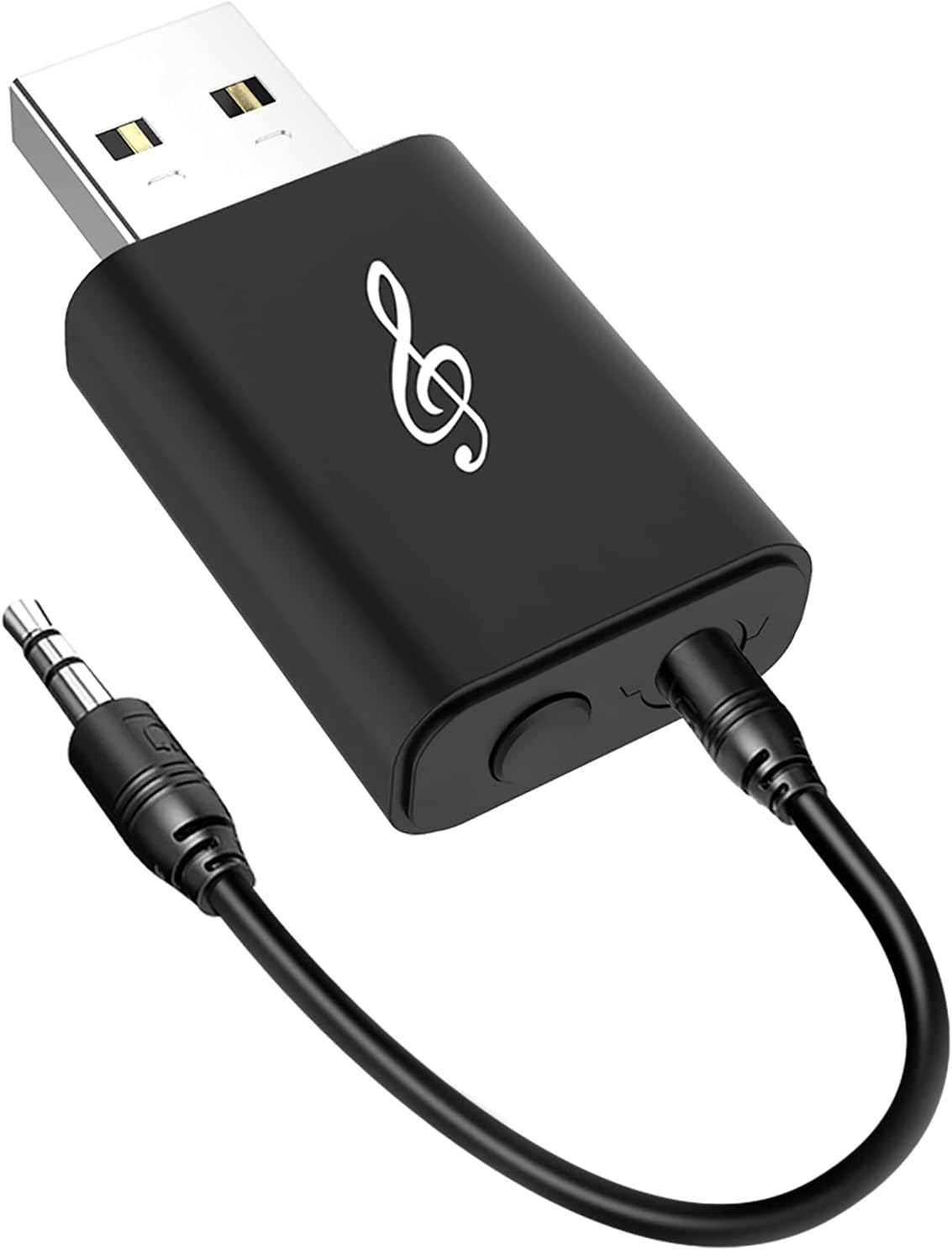
- The Adapter Unit: This is the core device that receives the RCA audio signal and transmits it wirelessly via Bluetooth.
- Power Source: Most adapters require a power source, usually a USB cable connected to a power adapter or a USB port on your audio source.
- RCA Cables: These are the traditional red and white (and sometimes yellow for video, though not relevant for audio transmission) cables that connect your audio source to the adapter.
- Bluetooth Receiver (Optional): Some adapters function as transmitters, meaning you’ll need a separate Bluetooth receiver (like a speaker or headphones) to receive the audio. Other adapters are receivers, meaning they connect to your existing amplifier or speakers and receive audio from a Bluetooth-enabled source. This guide will focus on the more common scenario: using an RCA to Bluetooth transmitter.
Step-by-Step Setup for Effortless Audio Streaming
Setting up your RCA to Bluetooth adapter is a straightforward process. Follow these steps carefully to ensure a smooth and enjoyable audio experience.
Step 1: Identify Your Audio Source and Connections

The first crucial step is to identify the audio output ports on your source device. Most audio equipment that uses RCA for output will have a pair of colored RCA jacks: red for the right channel and white for the left channel. Locate these on your stereo receiver, turntable, CD player, or any other device you wish to connect.
Example: If you’re connecting a turntable, you’ll typically find RCA outputs labeled “Audio Out” or similar. These might be directly on the turntable itself or on an accompanying preamplifier.
Step 2: Connect the RCA Cables to Your Audio Source
Take your RCA cables and connect them to the corresponding output jacks on your audio source. Ensure a firm connection. The red plug goes into the red jack, and the white plug goes into the white jack. These cables will then lead to your RCA to Bluetooth adapter.
Step 3: Connect the RCA Cables to Your Bluetooth Adapter
On your RCA to Bluetooth adapter, you will find input jacks, usually also colored red and white. Connect the other ends of your RCA cables to these input jacks, again matching the colors. This physically links your audio source to the adapter.
Step 4: Power Up Your Bluetooth Adapter
Most RCA to Bluetooth adapters require external power. Connect the provided USB cable to the adapter’s power port and plug the other end into a compatible USB power adapter or a powered USB port. Once powered, the adapter should illuminate with an indicator light, signifying it’s ready for pairing.
Step 5: Power On Your Bluetooth Receiver (Speaker or Headphones)
Ensure that your Bluetooth speaker, headphones, or any other Bluetooth-enabled audio receiver is powered on and in pairing mode. The method for putting a device into pairing mode varies by manufacturer, but it usually involves pressing and holding a Bluetooth button until an indicator light flashes rapidly or a voice prompt is heard.
Step 6: Initiate Bluetooth Pairing

Now, it’s time to establish the wireless connection. Most RCA to Bluetooth adapters have a pairing button. Press and hold this button until the adapter’s indicator light starts flashing rapidly, indicating it’s searching for a Bluetooth device. Your Bluetooth receiver should also be actively searching.
The adapter and receiver will automatically search for each other. Once they detect each other, the pairing process usually completes automatically. The indicator lights on both devices should change from a rapid flash to a solid light or a slower, rhythmic pulse, signifying a successful connection.
Troubleshooting Pairing: If the devices don’t pair immediately, try the following:
- Ensure both devices are within close proximity (within a few feet).
- Turn off and on the Bluetooth on both devices.
- Refer to the user manuals for both your adapter and receiver for specific pairing instructions.
- Some adapters may require you to select the adapter from a list of available Bluetooth devices on your phone or computer if you’re using the adapter in a receiver mode, but for transmitter mode, it’s usually an automatic handshake.
Step 7: Select Your Audio Source on Your Receiver (If Applicable)
If your audio source (e.g., a stereo receiver) has multiple input options, ensure you have selected the correct RCA input to which your adapter is connected. This step is crucial for the receiver to pick up the audio signal.
Step 8: Test Your Audio Stream
With everything connected and paired, it’s time to test your audio stream! Play some music or audio from your source device. You should now hear the sound wirelessly transmitted to your Bluetooth speaker or headphones. Adjust the volume on both your source device and your Bluetooth receiver as needed.
Advanced Tips and Considerations
While the basic setup is straightforward, a few advanced tips can further enhance your audio streaming experience:
Maintaining Optimal Audio Quality:
- Codec Support: Look for adapters that support advanced Bluetooth codecs like aptX or LDAC. These codecs offer higher audio fidelity compared to standard SBC, resulting in a richer, more detailed sound. For audiophiles, this is a significant consideration.
- Bluetooth Version: Newer Bluetooth versions (e.g., Bluetooth 5.0 and above) offer improved range, stability, and lower latency, which is particularly important for watching videos to avoid audio-video sync issues.
- Adapter Placement: Position your RCA to Bluetooth adapter and receiver in a location with minimal wireless interference. Avoid placing them near microwave ovens, Wi-Fi routers, or other devices that emit radio frequencies.
- Cable Quality: While not as critical as the adapter itself, using decent quality RCA cables can contribute to a cleaner signal.
Case Study: The Vintage Turntable Revival
Sarah, an avid vinyl collector, owned a beautiful vintage turntable and a high-fidelity stereo system from the 1970s. While she cherished the warm analog sound, she also wanted the convenience of streaming music to her smart speaker in the kitchen or listening via her wireless headphones while doing chores. She invested in a high-quality RCA to Bluetooth transmitter. By following the steps outlined above, she was able to connect her turntable’s RCA outputs to the transmitter, power it up, and pair it with her Bluetooth speaker. Now, she can enjoy her vinyl collection not only through her main stereo but also wirelessly throughout her home, without ever touching a cable. This transformed her listening experience, seamlessly blending her passion for vintage audio with modern convenience.
Statistics on Bluetooth Adoption
The widespread adoption of Bluetooth technology is a testament to its convenience. According to the Bluetooth SIG, there are over 5 billion Bluetooth-enabled devices shipped annually. This massive ecosystem means that compatibility with Bluetooth receivers is rarely an issue, making RCA to Bluetooth adapters a versatile solution for a broad range of users.
Troubleshooting Common Issues
Even with the best setup, you might encounter occasional hiccups. Here are some common issues and their solutions:
Audio Stuttering or Dropping:
- Interference: Move the adapter and receiver further away from potential sources of interference.
- Distance: Ensure the devices are within the recommended Bluetooth range.
- Low Battery: Check the battery levels of both the adapter (if it has a rechargeable battery) and the receiver.
- Outdated Firmware: Some adapters may have firmware updates available. Check the manufacturer’s website.
No Sound:

- Incorrect Input Selection: Double-check that your audio source is set to the correct RCA input.
- Loose Connections: Ensure all RCA cables are securely plugged in at both ends.
- Pairing Status: Verify that the adapter and receiver are successfully paired.
- Volume Levels: Confirm that the volume is turned up on both the source device and the receiver.
Delayed Audio (Latency):
This is more common when watching videos. If your adapter doesn’t support low-latency codecs like aptX Low Latency, you might experience a noticeable delay. Consider upgrading to an adapter with this feature if latency is a significant concern for video playback.
Embracing the Wireless Future of Your Audio Legacy

The RCA to Bluetooth adapter is a remarkable piece of technology that empowers you to merge the charm and quality of your existing audio equipment with the ubiquitous convenience of wireless streaming. By meticulously following the step-by-step setup process, from identifying your connections to initiating the Bluetooth pairing, you can effortlessly unlock a world of untethered audio enjoyment. Whether you’re a seasoned audiophile looking to modernize your vintage setup or a casual listener seeking to simplify your audio experience, the RCA to Bluetooth adapter offers a cost-effective, high-fidelity, and remarkably user-friendly solution. Embrace this technology, and let your cherished audio legacy resonate wirelessly throughout your home.